
Every date in Zoho CRM,
on one calendar
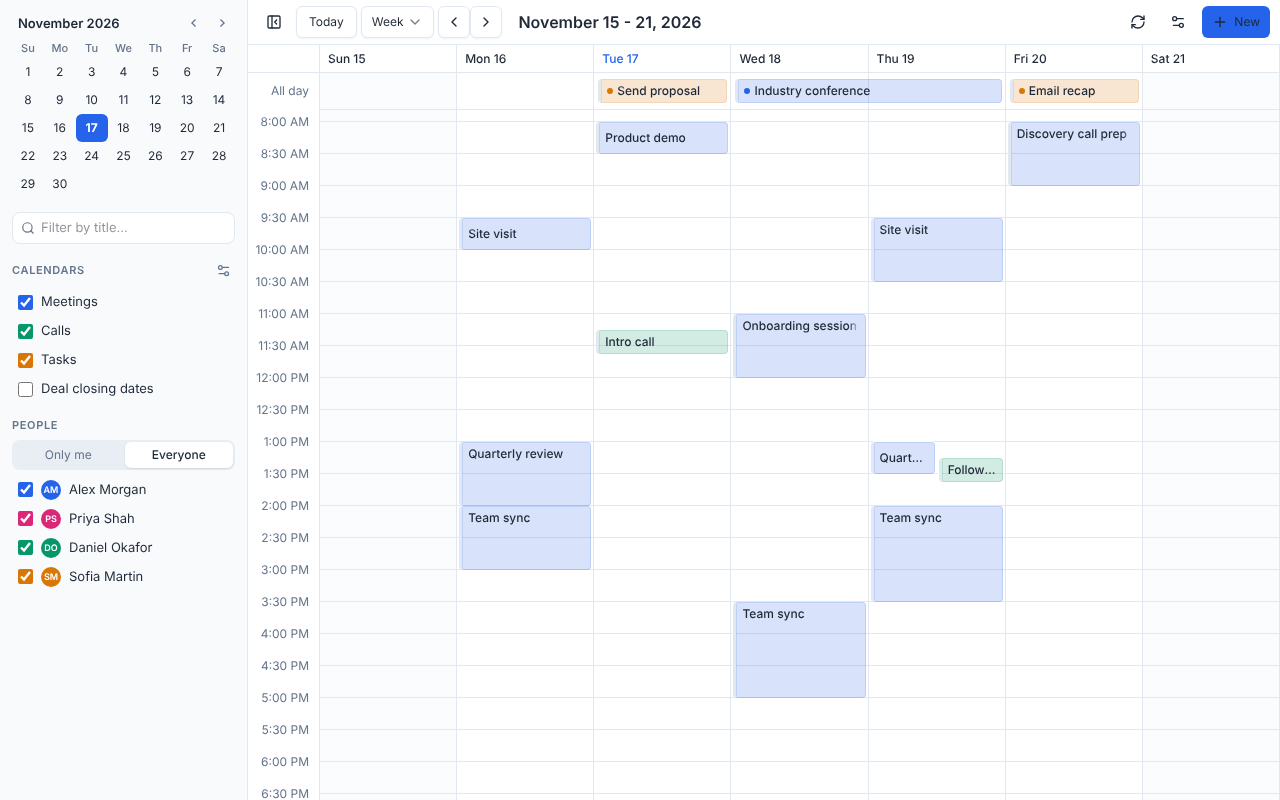
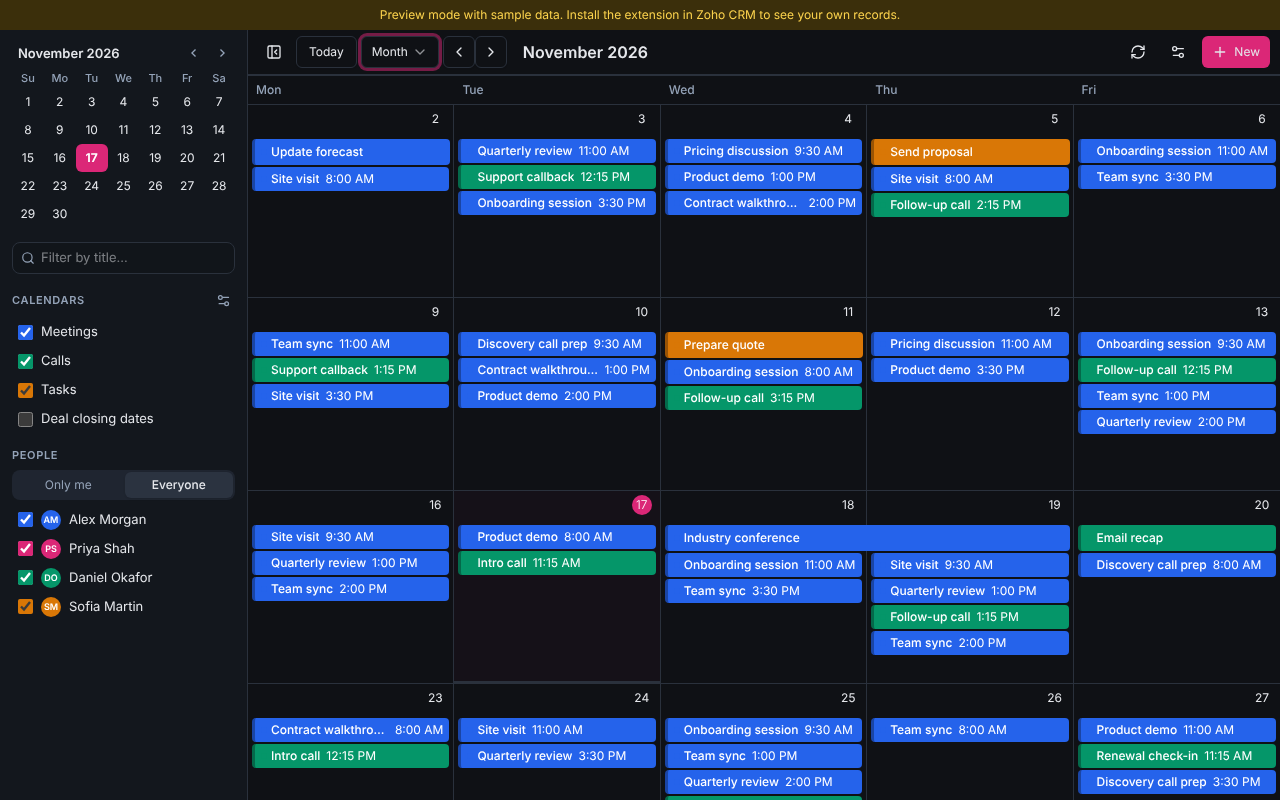
See your meetings, calls, tasks and deals in one calendar, for you or your whole team. Drag to reschedule, drop on a colleague to reassign, and every change saves straight to the CRM record.
Installs from the Zoho Marketplace. English and French.
Built for how sales teams plan their week
Smart Calendar adds a calendar tab to Zoho CRM that reads your records directly. Nothing to sync, nothing to import.
Five views
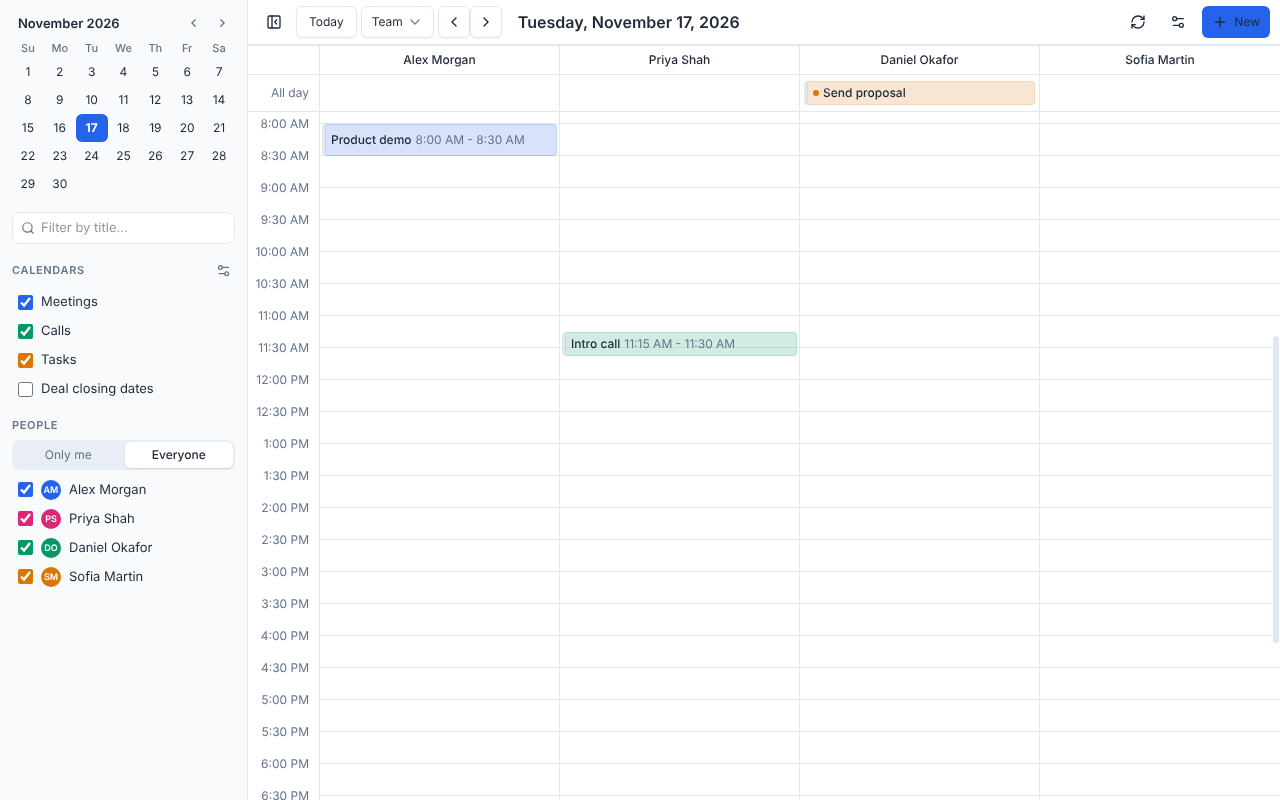
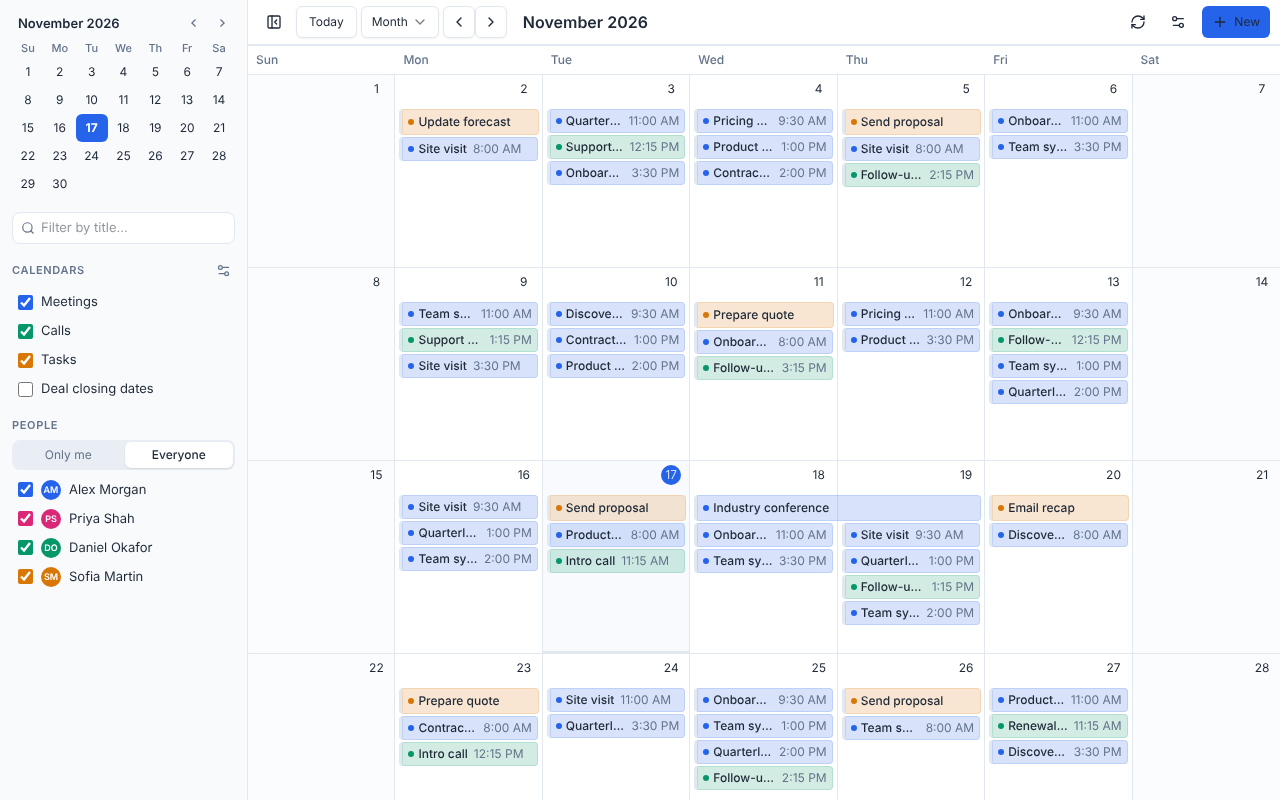
Month, week, day, agenda, and a Team view with one column per user.
Drag and drop
Move an item to reschedule it. Drop it on someone's column to reassign it. Undo is one click.
Everything with a date
Meetings, calls, tasks and deal closing dates out of the box, plus any module with a date field, custom modules included.
Create in place
Select a time slot to create a meeting or task without leaving the calendar.
Color your way
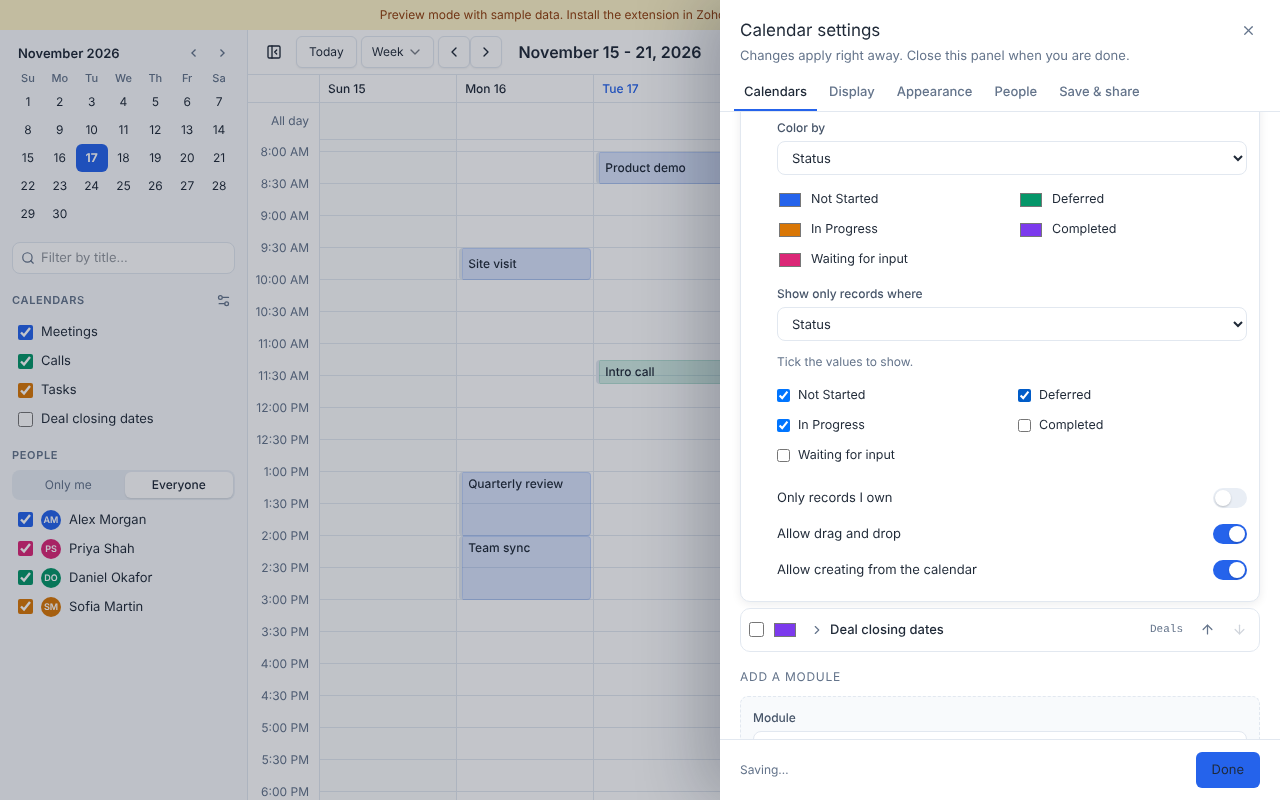
Color by calendar, by person, or by any picklist such as task status or deal stage.
Filters that stick
Filter by person, by title, by picklist values, or show only your own records.
Settings per user
Each user picks modules, fields, hours, theme and density. Settings follow them on every device.
Team defaults
Admins save a default setup for the whole team. Users can export and import a backup.
Phone and tablet ready
Works in the Zoho CRM mobile app and browser, with a layout made for small screens.
See it in action
Sample data shown.
Your data stays in Zoho
Smart Calendar runs inside Zoho CRM and talks only to Zoho. It sees only what each user is already allowed to see, and it never deletes records. Calendar settings are kept in a small module in your own CRM.
Read the privacy policy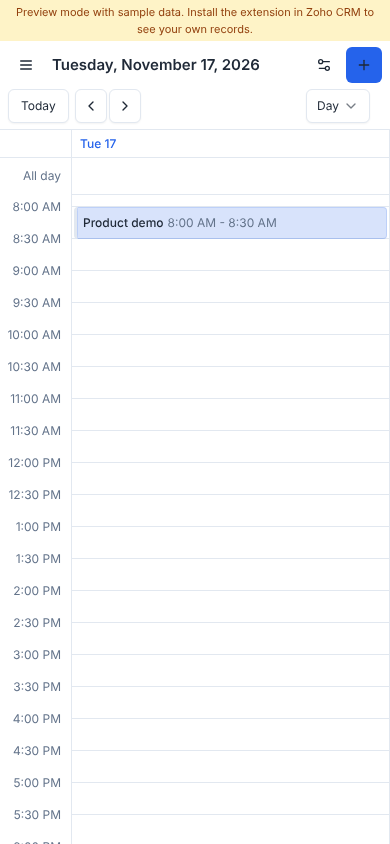
Pricing
Try every feature free, then subscribe through the Zoho Marketplace.
The current price is shown on the Zoho Marketplace listing. Billing is handled by Zoho.
- All five views, including the Team view
- Every module with a date field
- Per-user settings and team defaults
- Email support